Druid 9.27 - Latest
Deployment Dates
The table below lists the deployment date of Druid 9.27 across Druid Clouds. To view the Druid Releases Calendar, see Druid Releases.
|
Druid Cloud Community *.community.Druidplatform.com |
Druid Cloud US *.us.Druidplatform.com |
Druid Cloud Australia *au.Druidplatform.com |
Druid Cloud West-Europe (PROD) *.Druidplatform.com |
|---|---|---|---|
| July 16, 2026 | July 30, 2026 | July 30, 2026 | July 30, 2026 |
These release notes give you a brief, high-level description of the improvements implemented to existing features.
If you have questions about your Druid tenant, please contact support@druidai.com or your local Druid partner for more information.
- SMTP Connector - Support for Custom Email Headers
What's New
- Druid Voice — General Availability. Enterprise voice AI has traditionally required managing third-party gateways, generic speech engines, and custom integration layers. Druid Voice replaces that fragmented approach with a single, unified solution. Reaching General Availability with this release, Druid Voice provides a native, end-to-end conversational voice stack built directly into the Druid platform—ready for enterprise deployment.
- Authenticator App Support for Two-Factor Authentication (2FA). We are excited to introduce Two-Factor Authentication (2FA) using Authenticator Apps! To protect your business data and prevent unauthorized tenant access, Druid now supports temporary, time-based verification codes generated by industry-standard authenticator apps (such as Google Authenticator, Microsoft Authenticator, or Authy). This update provides a more secure and reliable alternative to email-based verification.
- Druid Generic Chat Channel. The new channel enables you to connect custom web chat interfaces directly to the Druid Conversational Engine using REST APIs. Designed for organizations that require complete control over the web chat experience, it provides a messaging layer without a built-in chat widget, making it easy to integrate Druid AI Agents into existing web applications and corporate portals while preserving your own UI, branding, and authentication mechanisms.
By removing the need for external voice gateways and generic models, Druid Voice delivers high-performance interactions powered by proprietary STT/TTS engines. These engines are specifically fine-tuned for five core verticals—Banking, Insurance, Healthcare, Higher Education, and Retail—and are deployable across your entire ecosystem, from digital channels to telephony systems. You can now leverage an enterprise-grade voice experience.
Improvements
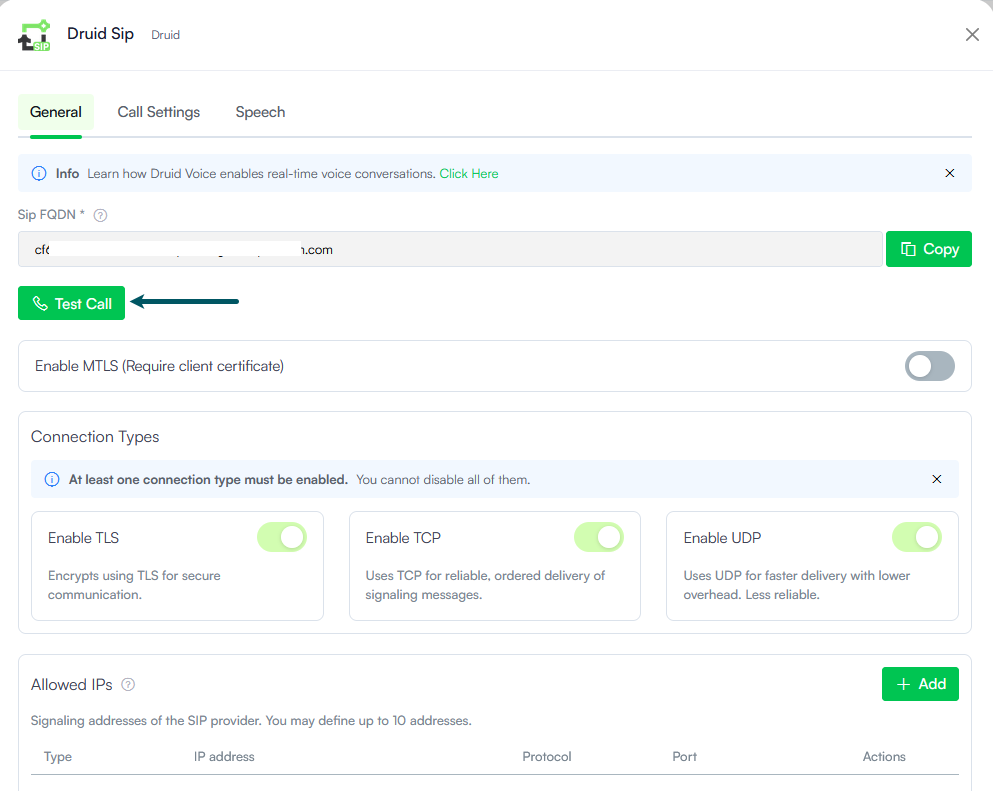
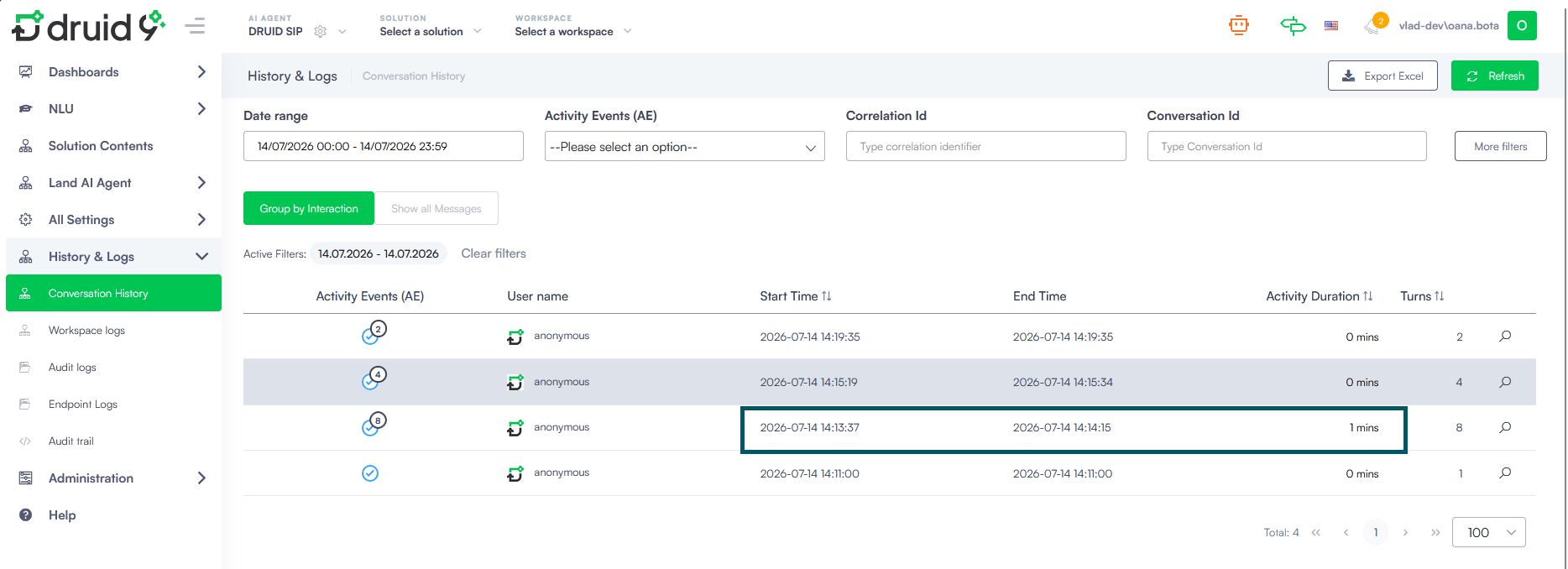
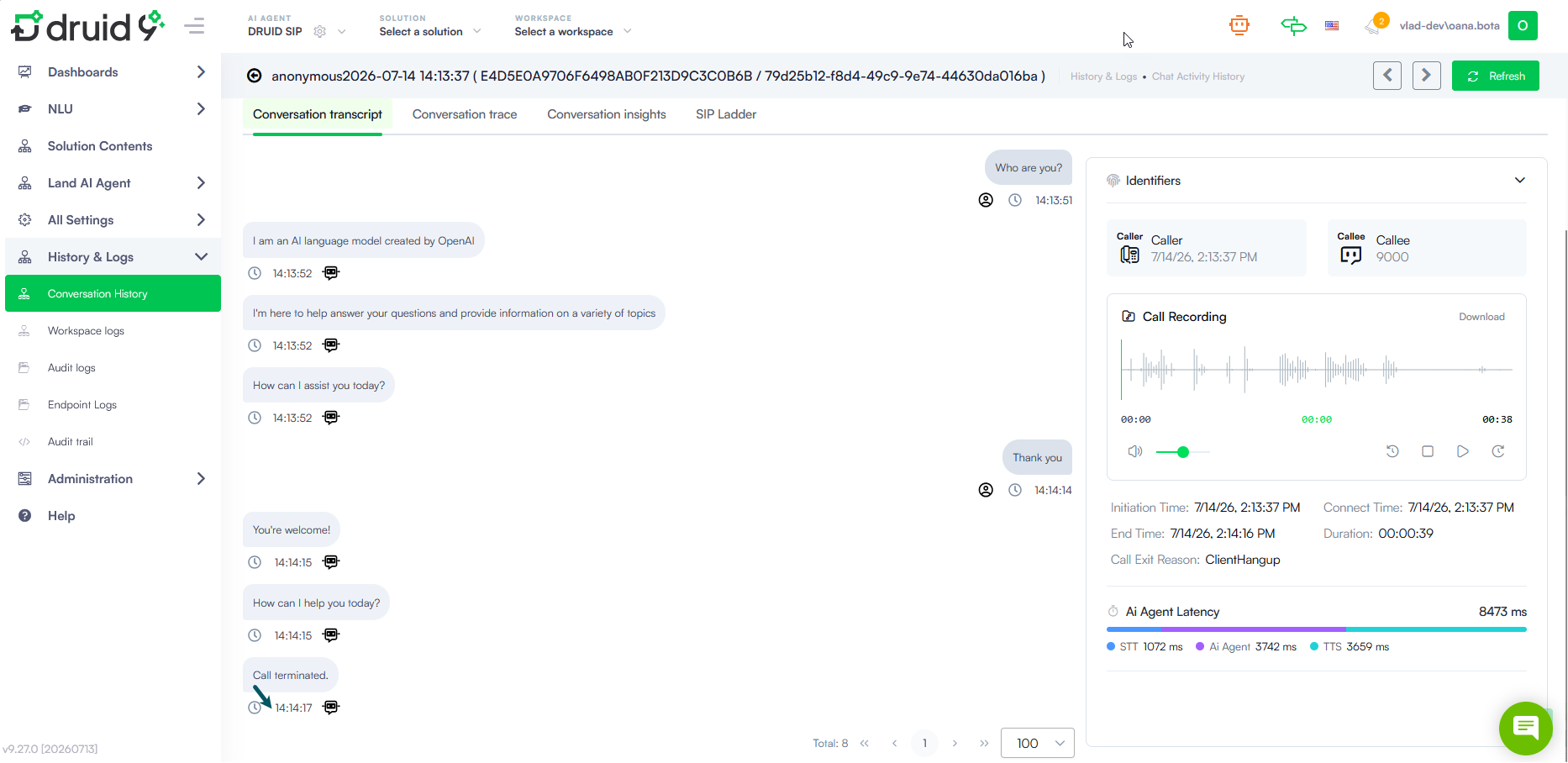
- Druid SIP - Test Call. We are excited to introduce the Test Call feature for Druid SIP! Now, you can easily verify your voice configuration and evaluate the AI Agent response in real time before connecting to a call center. This helps you test speech services, fine-tune voice settings, and troubleshoot connectivity issues directly within the Druid interface.
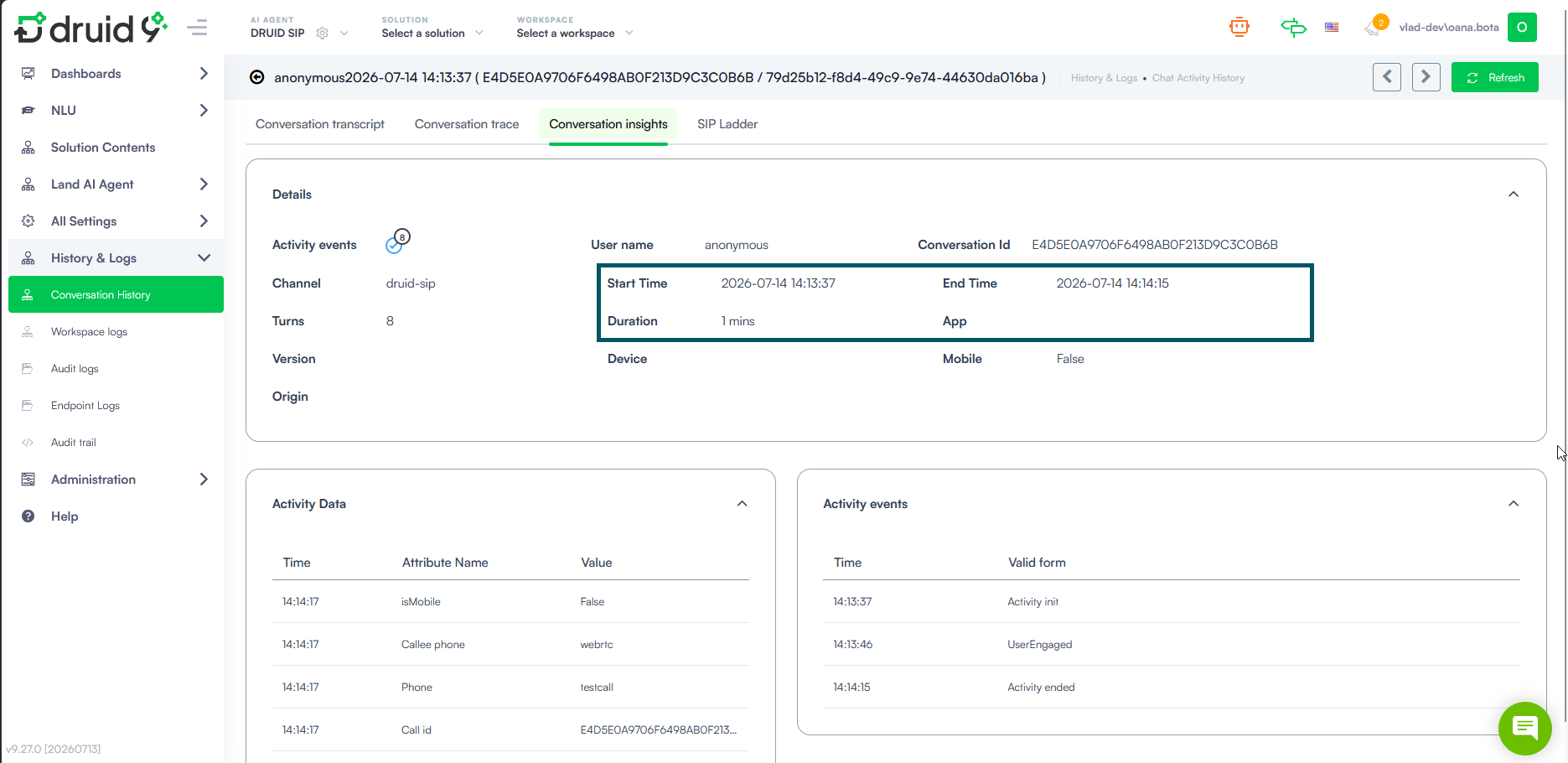
- Voice Call End Time Logging. Druid SIP and AudioCodes channels now automatically record the exact voice call end time by saving the ActivityEnd event to [[ChatActivityData]].
- Precise analytics. Get accurate call duration tracking in conversation history and transcripts, making it easier to analyze AI Agent performance.
- Simplified flow design. Eliminate the need to manually build ending activities; Druid automatically closes the session at the end of the voice termination flow.
- Accurate logs. Ensure conversation history stays clean and accurate with automatic session closures triggered instantly by hangup or transfer events.
- Enhanced Outlook Email Thread Grouping. We have improved how the Outlook channel groups email threads to align with standard Microsoft Outlook behavior and prevent unrelated messages from merging.
- Live Chat - Temporarily enable file upload during live sessions. Helpdesk agents can now temporarily enable file uploads during an active live chat session, when file uploads have been blocked by the AI Agent before the conversation is transferred.
-
Live Chat - Helpdesk Agent Aliases. Tenant administrators can now assign an alias to helpdesk agent users. When configured, the alias is displayed to customers instead of the agent's first and last name in the default system messages sent when an agent joins or leaves a live chat session.
This enhancement enables organizations to present consistent, user-friendly agent names, helping protect agent identities when needed and providing a more standardized customer experience.
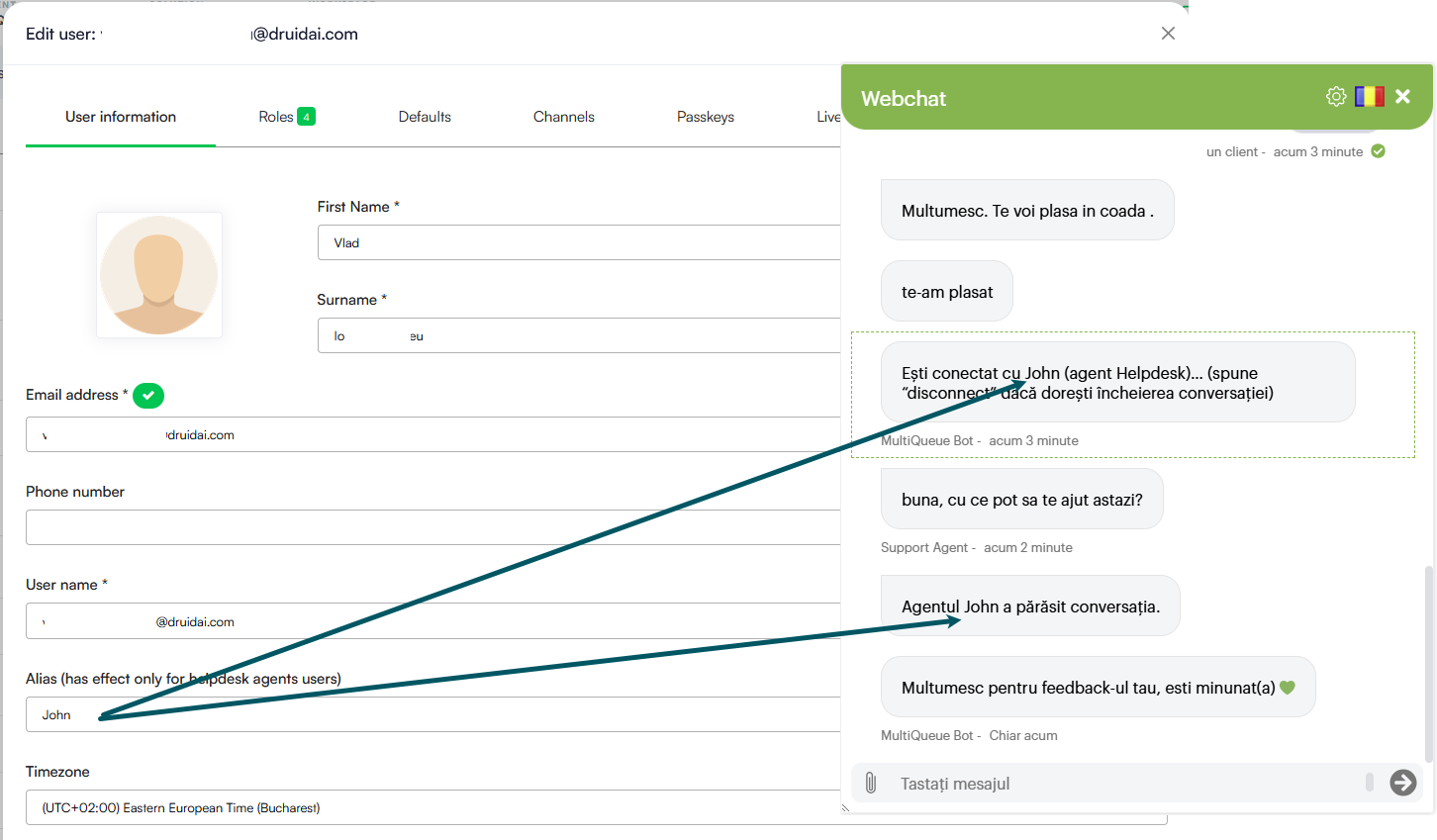
For more information, see Set Live Chat Special Messages and Creating Authoring Users (Portal Users).
- Document Builder - Advanced Nested Entity Support in Excel Templates. We have improved the Excel document generation engine to support deep relational data paths directly from your spreadsheets, eliminating the need for complex, manual backend workarounds.
- SMTP Connector - Support for Custom Email Headers. We are excited to introduce custom header support for SMTP integration actions, giving you precise control over the metadata transmitted with your automated emails.
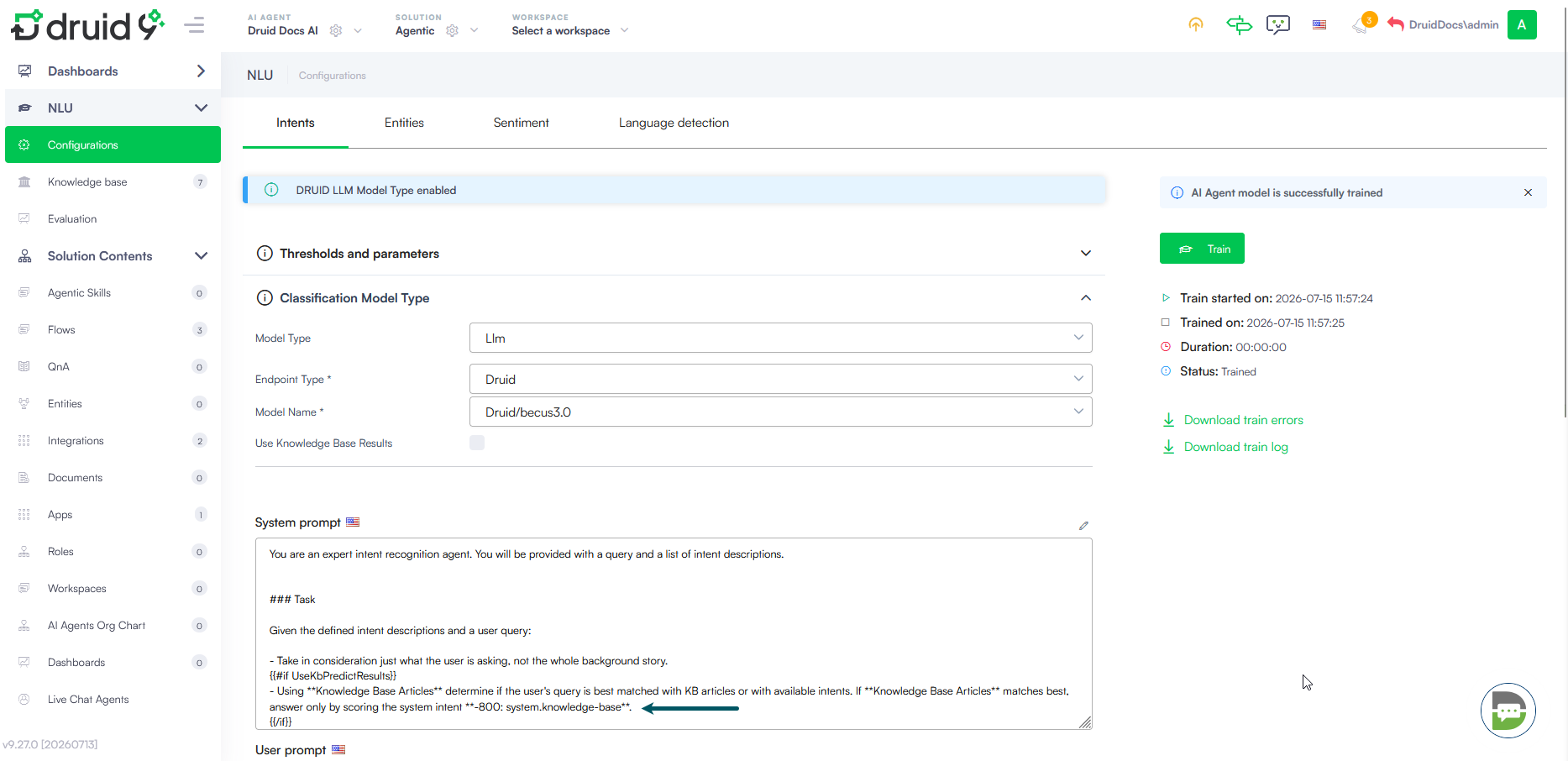
- LLM-Powered NLU Classification – Optimized default LLM prompt. Improved the routing logic instructions inside the default System prompt to leverage best-match evaluation instead of strict intent exclusion. This optimizes routing accuracy and ensures a seamless user experience when navigating conversational flows.
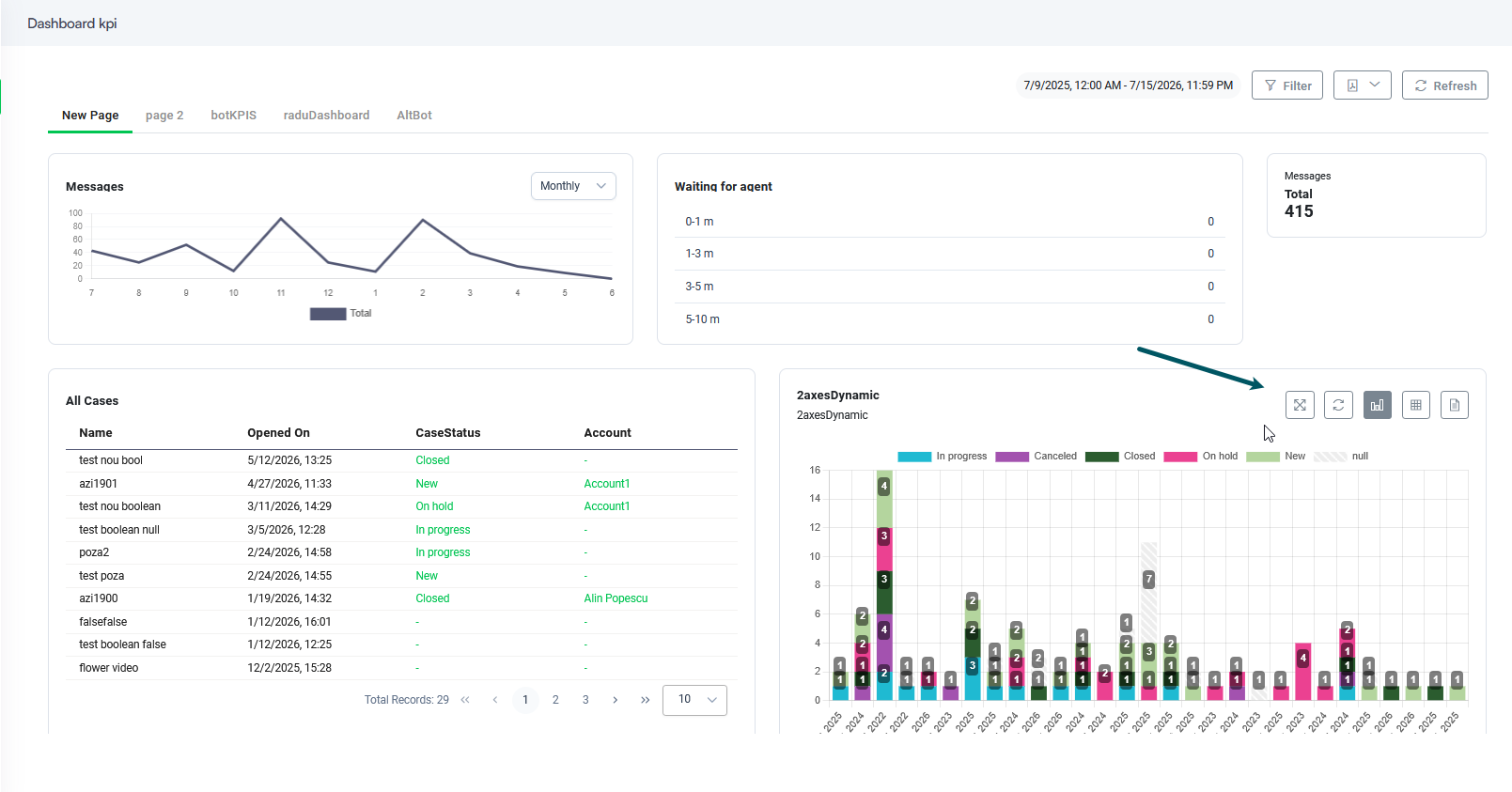
- Web Views, forms and dashboard improvements. This release introduces various improvements to business users and authoring experience:
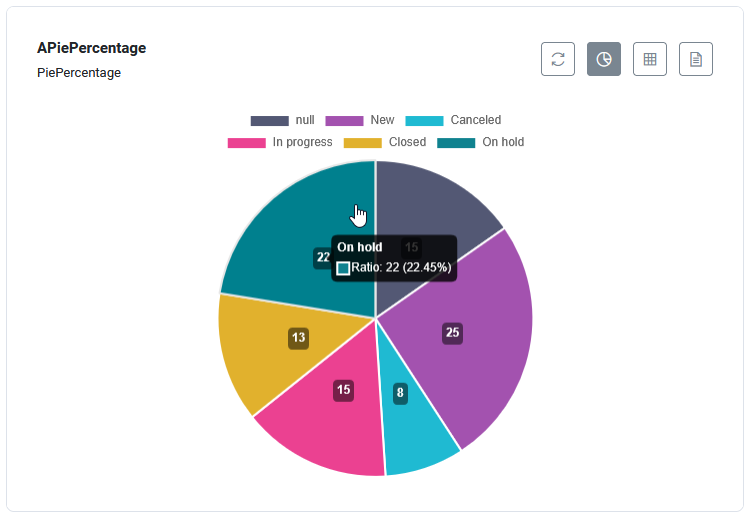
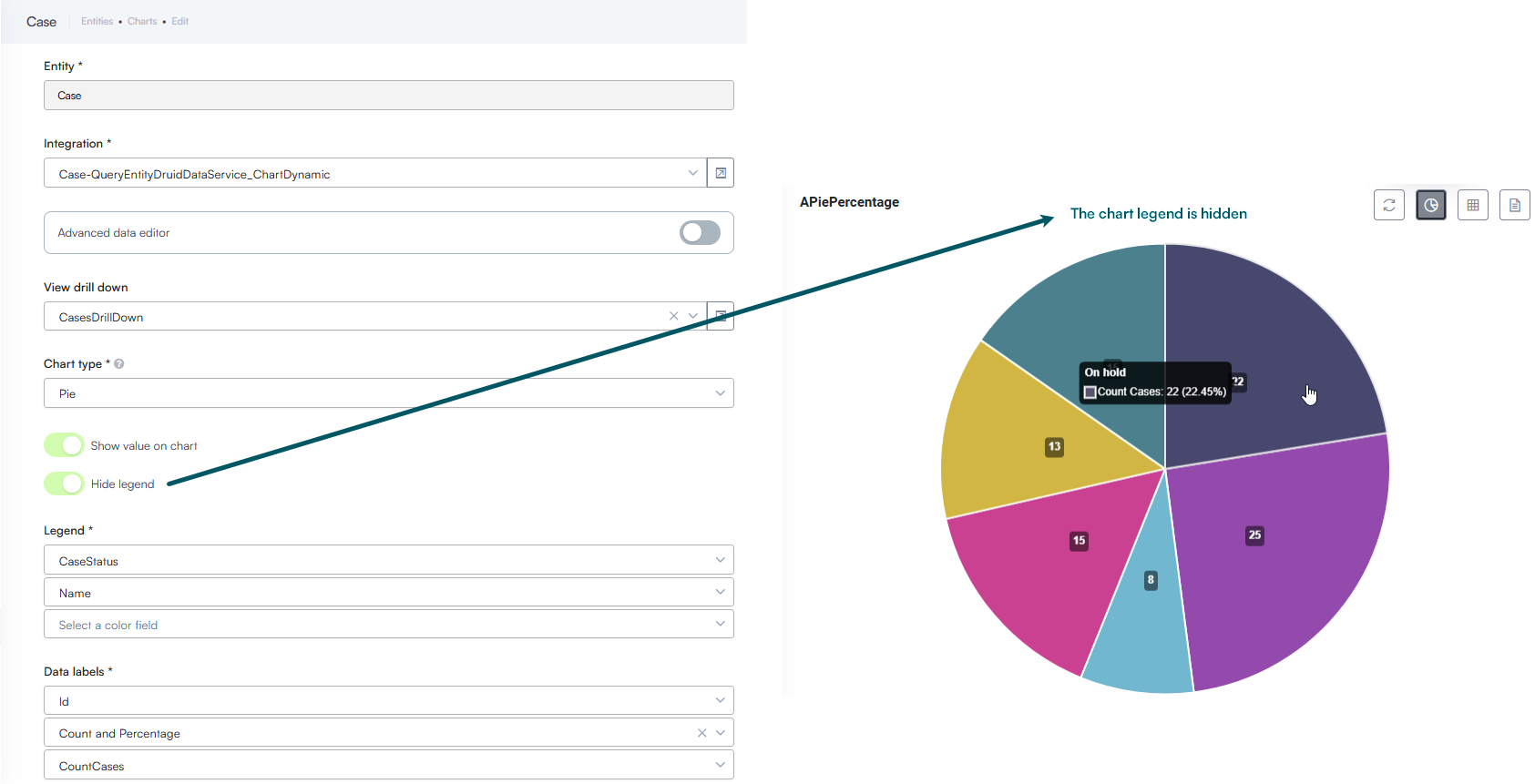
- Pie charts - Display Count and Percentage Simultaneously. When designing a Pie Chart, you are no longer limited to displaying just a single type of data label. You can now configure charts to show both the raw value (count) and the relative percentage at the same time.
- Chart Customization – Hide Legend. When configuring charts, you now have the option to completely hide the chart legend. By toggling on the new Hide legend option in the chart settings, you let your chart expand to fill the entire container. This is particularly useful for simpler charts where the data labels are already enabled, offering a cleaner user experience and more space for the visual data.
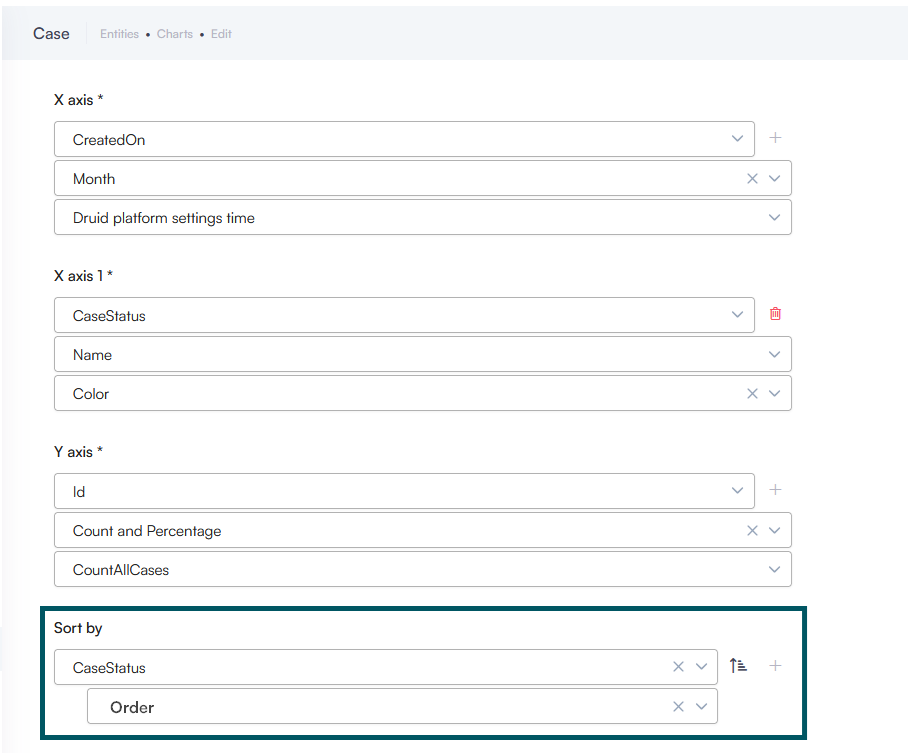
- Advanced Chart Sorting by Any Related Entity Fields. When grouping a chart's X-axis by an Entity-type field (such as CaseStatus), you can now sort your charts by any field belonging to that related entity (e.g., CaseStatus.Order or CaseStatus.Code).
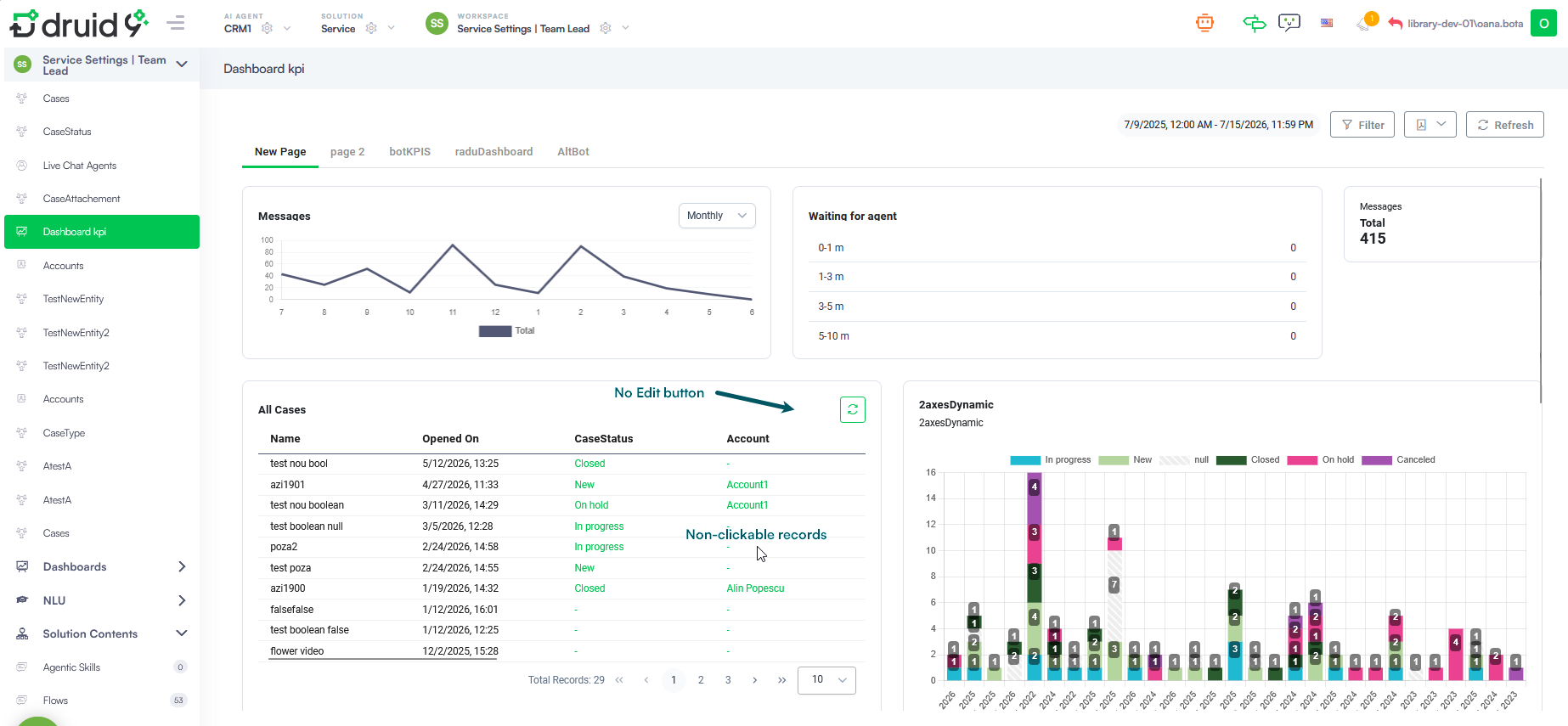
- Dashboards - Read-Only Controls for View Widgets. Added a Disable record editing option in the widget configuration settings.
- Hover-triggered Widget Toolbars for Faster Dashboard Loading. We have optimized how dashboard widgets load to significantly improve dashboard performance and reduce resource consumption. Previously, loading a dashboard rendered all widget toolbars simultaneously, which consumed unnecessary system resources. By default, widget toolbars now remain hidden until you hover over a specific widget. This render process saves system resources and ensures your dashboards load instantly.
- Druid Vision – CNP Validation for Romanian Living Permit. We have expanded our document processing capabilities within Druid Vision to include support for real-time validation of the Personal Numerical Code (CNP) for Romanian living permits.
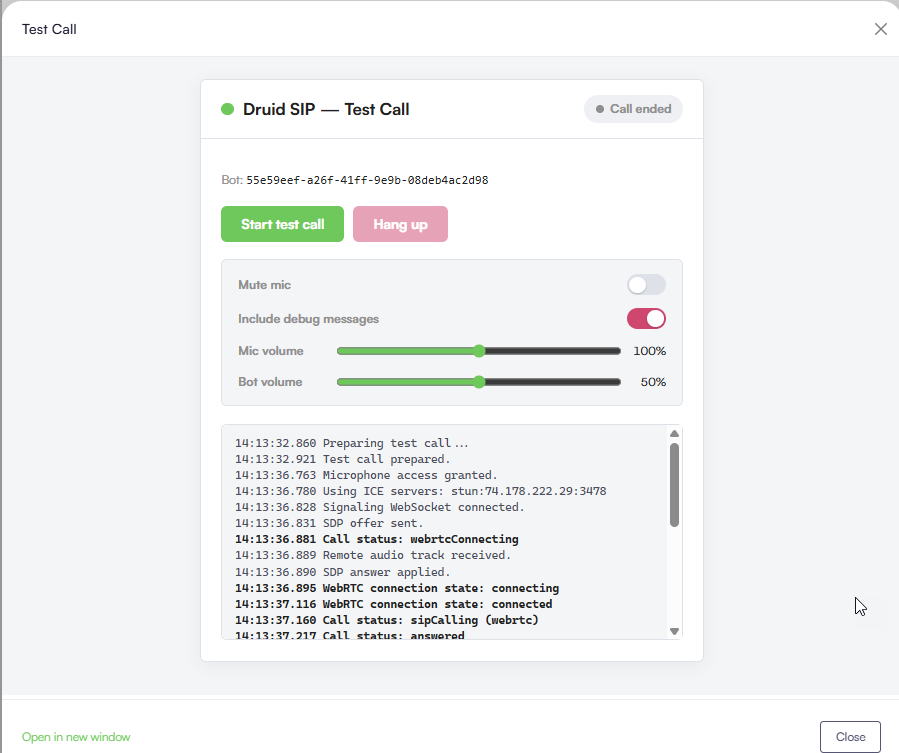
Test calls do not vanish once you hang up. Every interaction is automatically recorded so you can review the interaction details later.
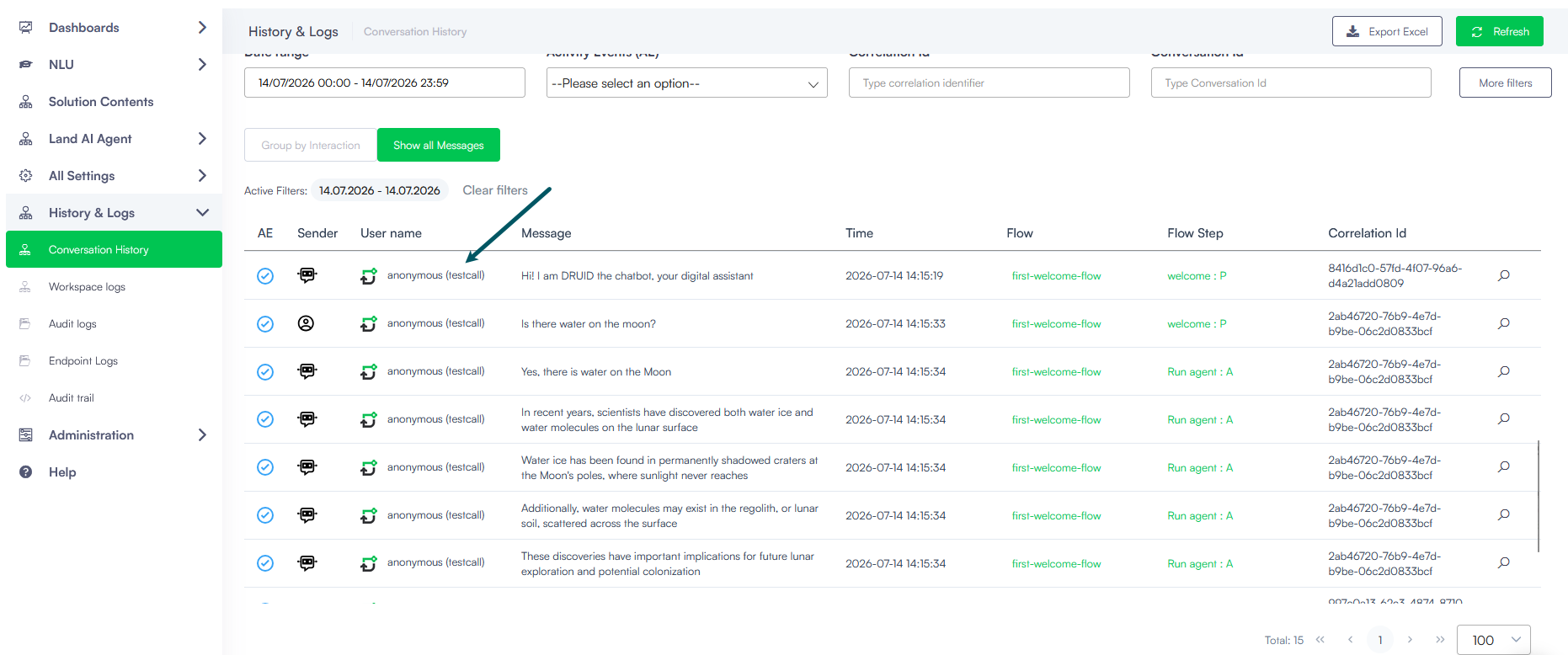
For more information, see Test Druid SIP Calls.
Key benefits:
By clicking Enable file upload, agents can allow the customer to upload files and specify the file types that are accepted for the current session.
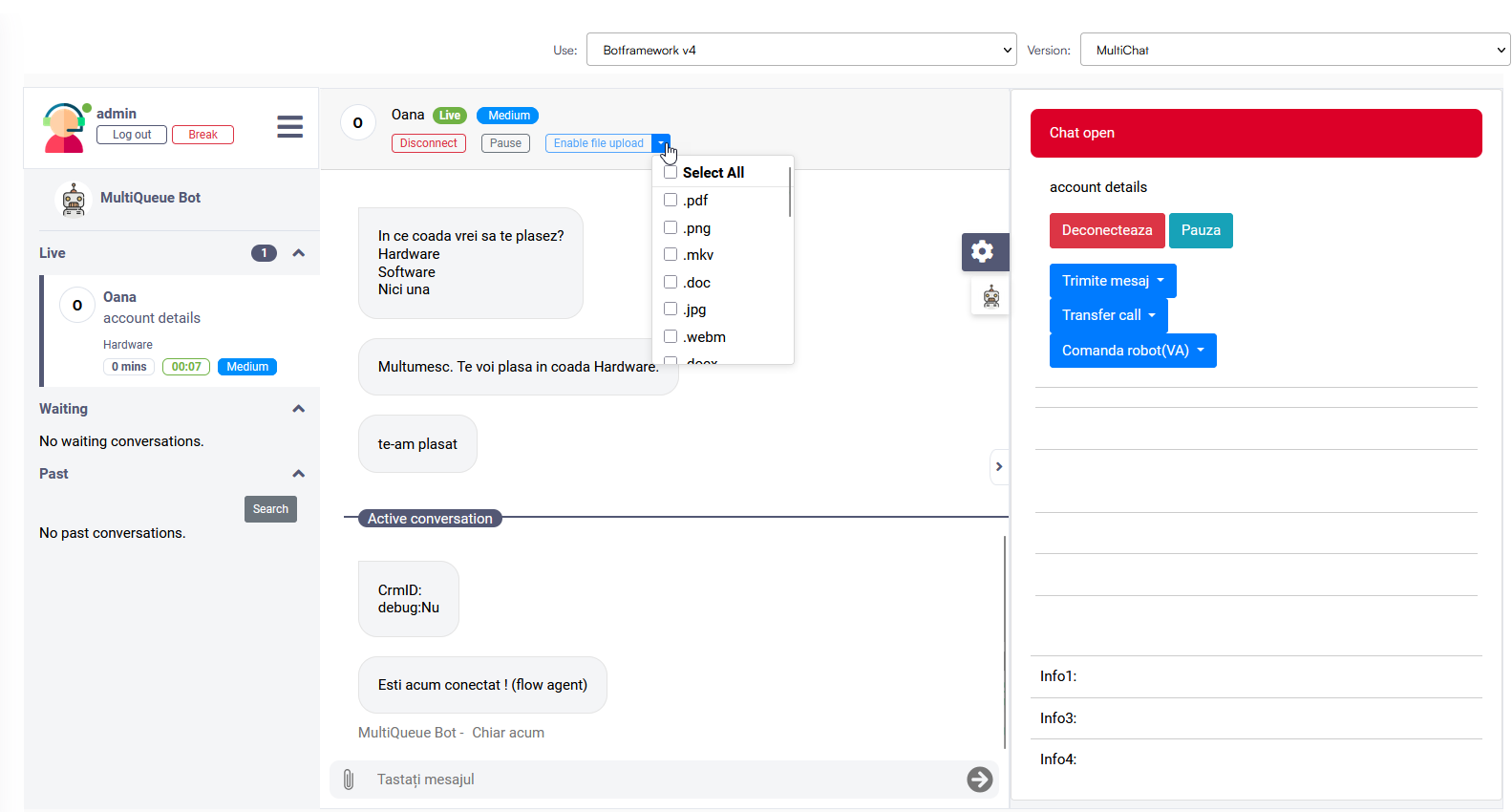
Once the required files have been received, helpdesk agents can disable file uploads again with a single click, helping maintain a secure and controlled file-sharing experience.
Previously, when generating Excel documents, the engine could only resolve direct properties of the parent entity or immediate list items. If you needed to output a field from a related entity (for example, displaying %Airport.Description.Name or %Airport.Terminals.Description.Name), you had to first create a Set Variable step in your conversation flow to copy those values into flat string fields on the root entity.
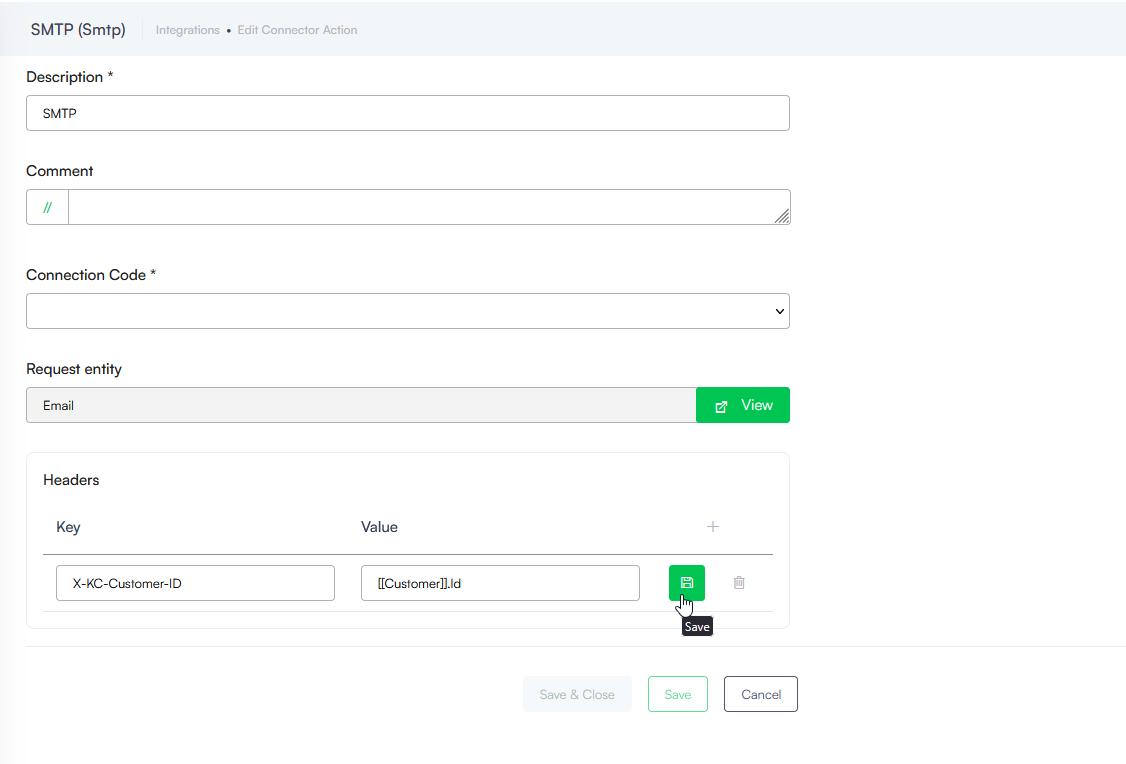
For more information, see Creating SMTP Connectors.
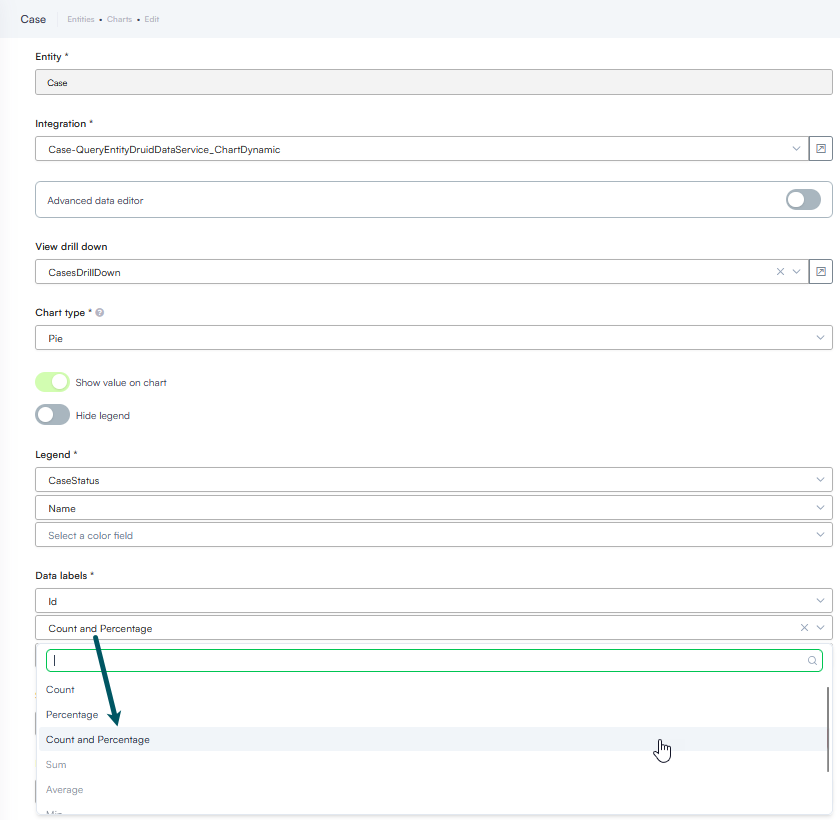
Viewers get complete volume and ratio context at a single glance.
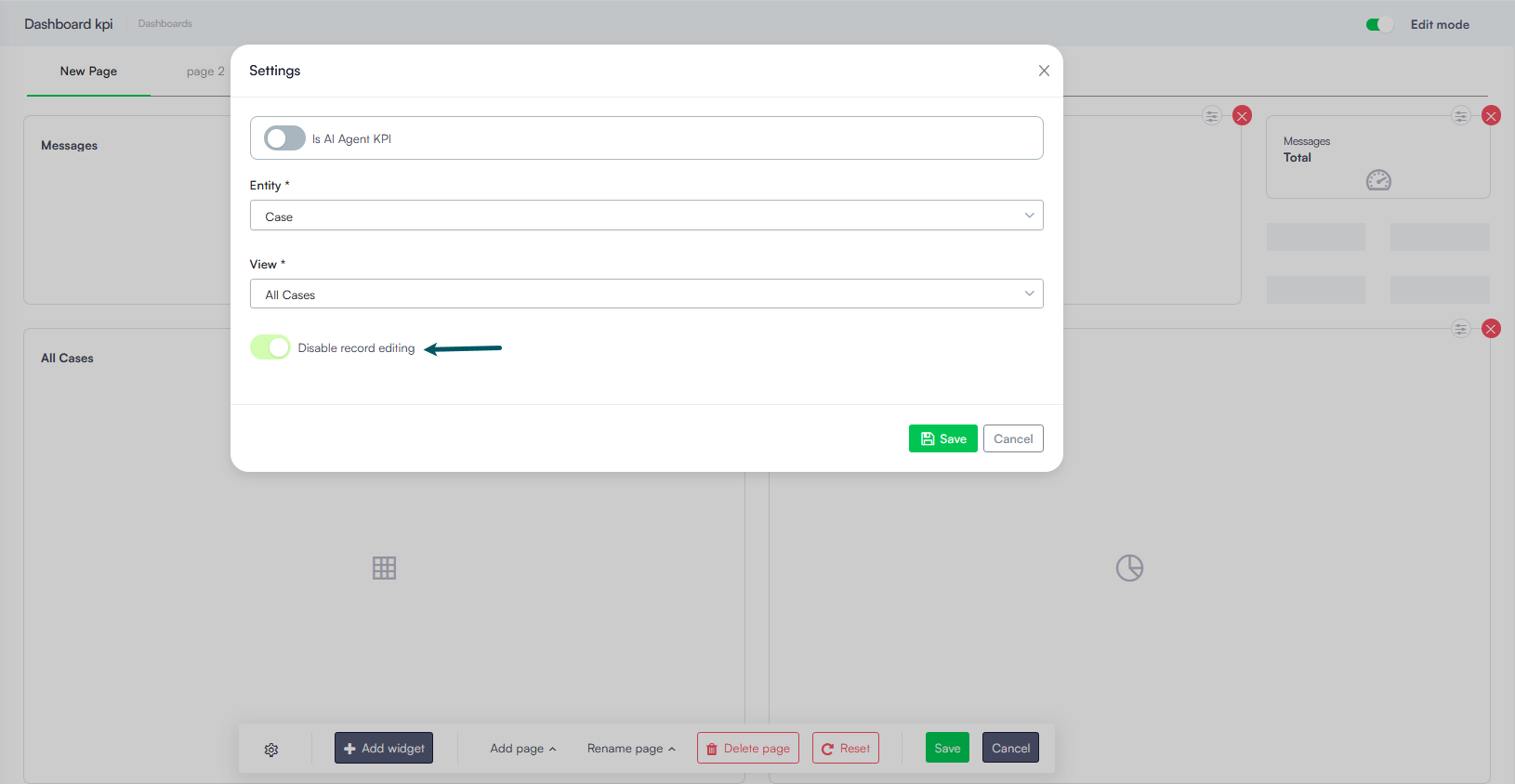
Enabling this toggle hides the edit button on the dashboard widget and renders the records non-clickable, preventing unauthorized record modifications and cleaning up the dashboard user experience.
Bug Fixes
- Adaptive Card interaction fix. Resolved an issue where Adaptive Cards remained active after a selection was submitted. Adaptive Cards are now properly deactivated once a selection is made, preventing subsequent user input updates and protecting conversation flow integrity.